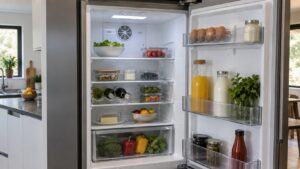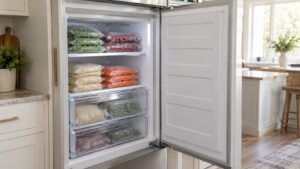
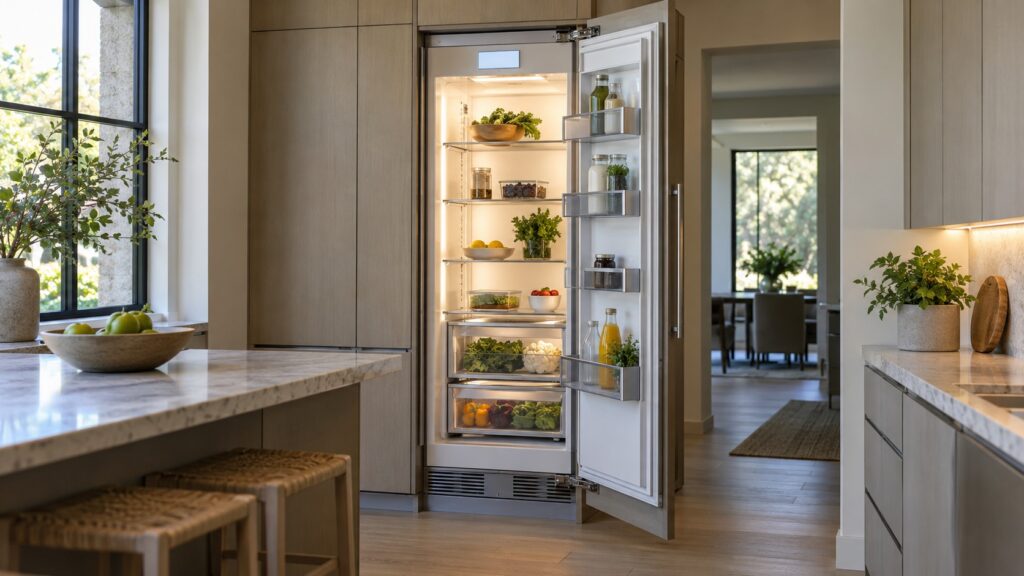
Miele MasterSensor is the name of the touch control and display on Miele MasterCool refrigerator and freezer columns: the TFT screen where you set temperatures, switch special functions on and off, read alarms and confirm the settings. It sits alongside a short list of other terms that appear on every Miele column, including MasterFresh, DynaCool, NoFrost, Push2Open, Active AirClean and BrilliantLight, and knowing what each one means makes the display and the manual far easier to read.
What is Miele MasterSensor?
MasterSensor is the control layer of a Miele MasterCool column. On the models in our list, from the 36-inch KF 2902 Vi bottom-freezer and the K 2902 Vi all-refrigerator to the F 2902 Vi all-freezer and the 24-inch KFN 7795 D, it appears as a TFT touch display rather than a row of buttons. You use it to set the temperature of each compartment, to switch special functions on and off and to read messages such as a door alarm or a temperature alarm. Because it is a touch display, it also wakes and sleeps, which surprises people who think a dark screen means the refrigerator has failed.
The gestures vary by model and software version, so use the operating instructions for your exact model number for the details. In general, touch the display to wake it, make a selection and confirm it, and the setting is stored. If the screen is dark but the interior light and the cooling work, the refrigerator is fine.
What do MasterFresh and DynaCool mean?
MasterFresh is the fresh-storage zone with humidity control, built for foods that spoil quickly; it keeps produce crisper and meat and fish at a lower temperature than the main compartment. DynaCool is the circulation fan that moves cold air through the cabinet so the top shelf and the bottom shelf end up at nearly the same temperature, which prevents warm pockets. You will see both in the specification of every column on our list. For a deeper look, our guides to how Miele MasterCool and MasterFresh work and the DynaCool glossary explain how the airflow and the drawers work.
What does NoFrost mean on a Miele refrigerator?
NoFrost means the refrigerator defrosts itself automatically. Instead of frost building up on the walls, a circulating system keeps moisture away from the freezer walls and clears the evaporator at intervals, so you never have to empty the freezer to defrost it. It also explains why frozen food in a NoFrost freezer can dry out over a long time if it is not wrapped well. Our explainer on how Miele NoFrost works covers the mechanism, and the frost buildup symptom page is the place to start if frost appears anyway.

What are Push2Open, Active AirClean and BrilliantLight?
Push2Open is the handle-free opening system: a light push on the door releases a catch so it swings open, which keeps a panel-ready front clean and flat. Active AirClean is a filter in the cabinet that cleans the air inside and reduces odors, and it needs replacing on the schedule in the manual; see our Active AirClean glossary. BrilliantLight is the LED interior lighting, bright and cool in running. If a light goes out, our refrigerator light out page explains the options.
What do the model letters on a Miele refrigerator mean?
The letters in a Miele model number tell you the configuration. In the models on our list, K marks an all-refrigerator column, F an all-freezer column and KF a bottom-freezer column, and the numbers that follow give the width and the generation, such as 2902 for a 36-inch column. The suffix Vi means the refrigerator is integrated and panel-ready, taking a cabinet panel on the front. If you are comparing a column, our Miele refrigerator installation guide explains the panel and clearance requirements.
What messages does MasterSensor show, and what should you do?
- Door alarm: a door has been left open; close it fully and check that nothing blocks the seal.
- Temperature alarm: a compartment has become too warm. Check the door, reduce frequent opening and read our temperature alarm guide.
- Demo mode: the display works but the refrigerator is not cooling because it is set to a showroom mode. Follow our guide to exiting demo mode.
- Flashing temperature: a value that flashes usually means the compartment is not yet at the set point or an alarm is active.
Whatever the message, write down what the display says before you try anything, because it helps a technician if you do need a visit. Our Miele refrigerator repair page explains what happens next.
What temperatures should you set on a Miele column?
For food safety, set the fresh food compartment close to 37 degrees Fahrenheit and the freezer at 0 degrees Fahrenheit, and check them with a separate thermometer after a day, since a display shows the control’s reading and not necessarily the center of a full shelf. Change one setting at a time and wait a day before adjusting again, because a large block of food takes many hours to settle. If the numbers on the display and a thermometer disagree by a lot, or a compartment never reaches its set point, write down both readings and book a visit rather than turning the setting down further.